Trades
The Trades window shows your actually executed trades. After placing an order from the order book, check its status in the Orders window and its actual execution in the Trades window.
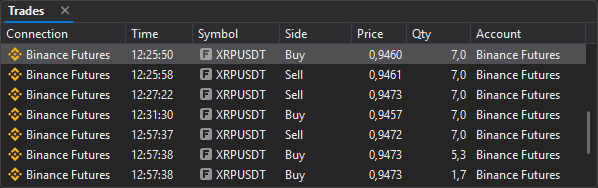
The Orders window can show active, partially filled, and canceled orders, while the Trades window contains only actual executions. A single order can be filled by several trades, so the Trades window may contain more rows than there are orders.
Columns
| Column | Description |
|---|---|
| Connection | Connection through which the trade was made. |
| Time | Trade execution time. |
| Symbol | Trade symbol. |
| Side | Buy or sell. |
| Price | Execution price. |
| Qty | Filled volume. |
| Account | Trading account of the trade. |
Last updated on