JetScalp documentation
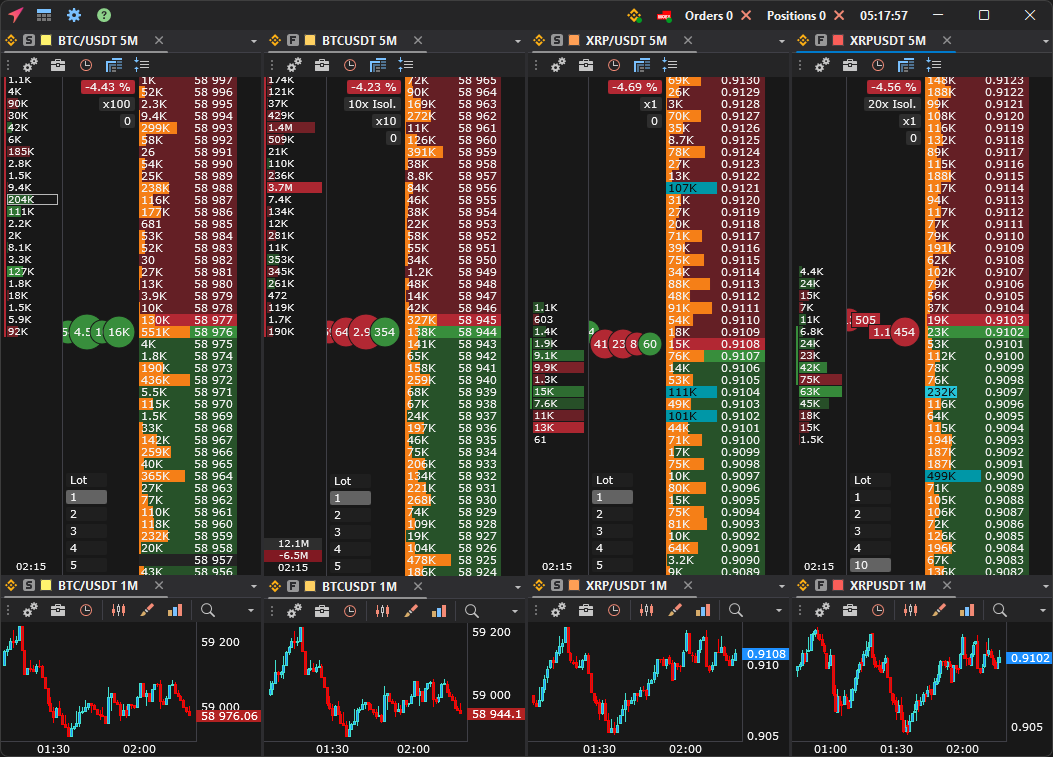
JetScalp is a free trading terminal for scalping and active trading on crypto exchanges and MOEX. The order book with the tape and clusters, charts from 1 second, the screener and alerts work in one window, and orders are placed with a mouse click or a hotkey.
The terminal runs on Windows and macOS, and there is a phone app for iOS and Android. One account works for the website, the terminal and the app.
Where to start
- Quick start — from installation to your first order in seven steps.
- Connections — which exchanges and brokers are supported and what you need to connect.
- Mouse trading — what a click in the order book does. Read it before your first trade: by default a click places an order right away.
- FAQ — if something does not work.
Important: JetScalp needs API keys without the withdrawal permission. Never share your keys — not in chats, not with support.
Features
- Crypto market data — quotes, order books and charts right after installation, no API keys needed.
- 15 crypto exchanges for trading — Binance, Bybit, OKX, Bitget, Gate, MEXC, BingX, HTX, Kraken, KuCoin, Upbit, Coinbase, and the DEXs Aster, Hyperliquid and Lighter.
- MOEX — via QUIK, Finam API, T-Invest API, BCS and Vataga Prop.
- Order book with the tape and clusters, trading with the mouse and hotkeys, stop loss, take profit and trailing stop.
- Charts with timeframes from 1 second and up to 20,000 bars of history, indicators, drawing objects and templates.
- Screener — finding moves on crypto exchanges and MOEX, Watchlist — your own symbol lists.
- Alerts — cloud alert levels send notifications to your phone and Telegram even when the terminal is closed.
- Workspaces across several monitors and configurations to move your settings.
- AI assistant — Claude, Cursor and other MCP-enabled programs analyse the order book, find levels and check positions.
- Speed — 60–240 FPS even with hundreds of order books and charts open.
Documentation sections
| Section | What it covers |
|---|---|
| Quick start, Installation and updates | Download, install, sign in and start trading. |
| Main window, Window linking, Combo window | Tabs, workspaces, the layout builder, linking windows by symbol, one symbol on several exchanges in one window. |
| Connections | Step-by-step guides for every exchange and broker, proxies. |
| Order book, Chart, Tape | Windows for analysis and trading: areas, orders, position, levels, indicators. |
| Watchlist, Screener, Alerts, Notifications | Symbol lists, finding moves, alert levels and the notification log. |
| AI assistant | Connecting Claude, Cursor and other MCP programs to the terminal. |
| Trading tables | Orders, trades, positions, assets and statistics across all connections. |
| Settings, Configuration | Interface, trading parameters, hotkeys, themes, moving settings. |
| FAQ, Diagnostics, Feedback | What to do if something does not work and where to write. |
| Glossary | Order book, cluster, delta, iceberg, spread and other terms. |
| Mobile app | The JetScalp app for iOS and Android. |
| Tutorial | Exchange trading from how an exchange works to volume analysis and indicators. |
Last updated on