Alert levels manager
The alert levels manager is a window listing all levels of the symbol. In it you set a level’s exact price, choose the line color, width and alert sound, and add and delete levels.
Opening the window
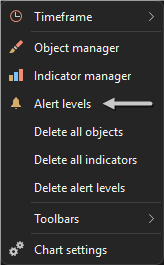
Right-click anywhere in the chart area and select Alert levels.
The manager also opens when you double-click an alert level on the chart.
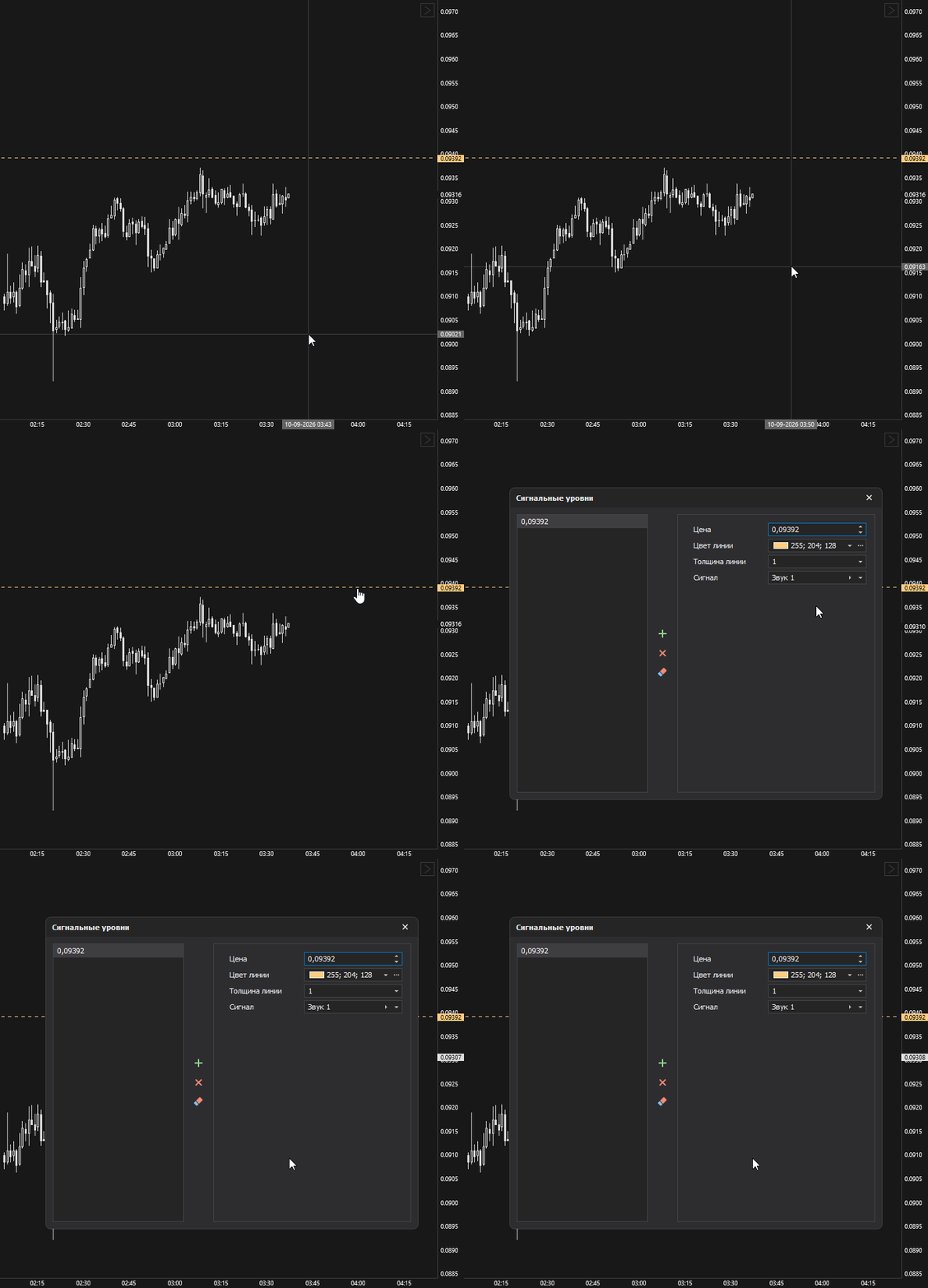
Configuring a level
The left part of the window lists the symbol’s alert levels, sorted by price. Click a level in the list to open its settings in the right part of the window.
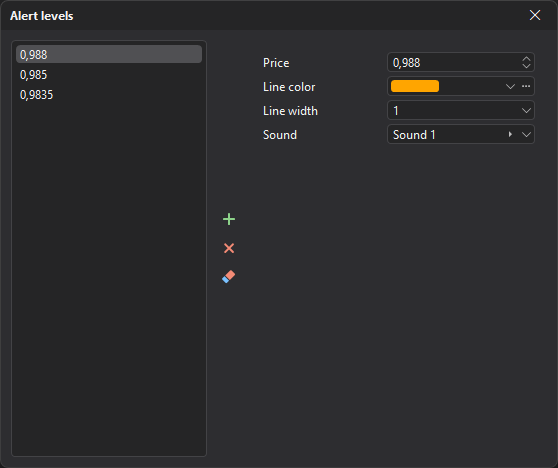
All level parameters are in the Level group:
| Parameter | Description |
|---|---|
| Price | The price the level is set at. |
| Line color | Color of the level line. |
| Line width | Width of the level line. |
| Sound | The sound played when the price reaches the level. |
The selected color, width and sound are remembered and used for the next new levels.
Adding and deleting
Buttons in the middle of the window:
- Add — adds a new level to the list;
- Delete — deletes the selected level;
- Delete all — deletes all levels of the symbol.
Last updated on