Tape tab
On the Tape tab you configure the tape area: which trades to hide, whether to combine consecutive trades and at what trade volume to play a sound alert. Filtering out small trades removes noise and makes large trades stand out.
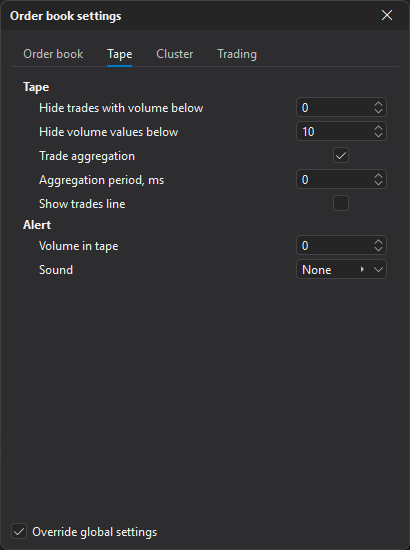
The tab has two blocks: Tape and Alert.
Tape
| Parameter | Description |
|---|---|
| Hide trades with volume below | Trades with volume below this value are not shown in the tape. At 0 the parameter is off. |
| Hide volume values below | Trades with volume below this value are shown without a number — as an empty circle or rectangle. |
| Trade aggregation | Combines consecutive trades of the same direction into one. With a period of 0, trades with the same time are combined. Aggregated trades are shown as rectangles. |
| Aggregation period, ms | Interval in milliseconds (0 to 60,000) within which trades are combined. |
| Show trades line | Shows a line connecting the trades. |
Alert
| Parameter | Description |
|---|---|
| Volume in tape | Trade volume that triggers a sound alert when it appears in the tape. At 0 the alert is off. |
| Sound | Sound played when a trade of the specified volume appears in the tape. |
Trade aggregation, Aggregation period, ms and Show trades line are visible only when Override global settings is enabled — see Order book settings.
Last updated on