Cluster tab
On the Cluster tab you configure the clusters area: the cell fill scale, the threshold below which volumes are hidden, and highlighting of large values. A well-chosen scale lets you see the prices with the most volume at a glance.
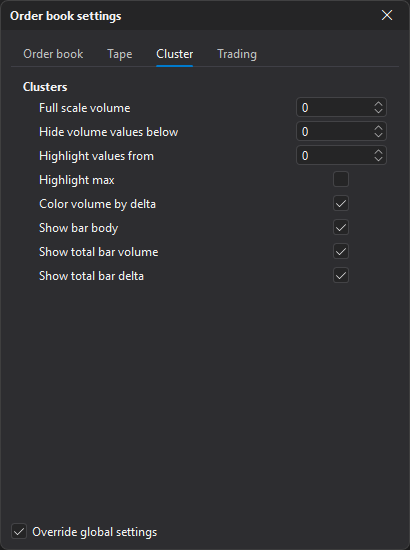
All parameters of the tab are in the Clusters group.
| Parameter | Description |
|---|---|
| Full scale volume | Volume at which a cluster cell is filled completely. At 0 the scale is based on the bar’s maximum volume. |
| Hide volume values below | Volumes below this value are not shown in cells. At 0 the parameter is off. |
| Highlight values from | Volume from which the cell value is shown in bold. At 0 the parameter is off. |
| Highlight max | Highlights the cell with the maximum volume. |
| Color volume by delta | Changes the cell color depending on the delta — the difference between buys and sells. |
| Show bar body | Shows a candle body marker to the left of the cluster. |
| Show total bar volume | Shows the total volume of the cluster. |
| Show total bar delta | Shows the total delta of the cluster. |
The parameters from Highlight max down are visible only when Override global settings is enabled — see Order book settings.
Last updated on