Take profit
A take profit locks in the profit on a position: when the price reaches the take profit, the position is closed. You place it at the trade’s target to take the profit automatically, without waiting for the price to turn. A local take profit closes the position with a market order.
In the order book the take profit is shown as a TP marker in the tape area.
Setting a take profit
With a position open, hold down the Set/remove SL and TP hotkey and click the desired price: for a long — above the current price, for a short — below.
While the key is held, a TP label is shown at the cursor next to the order book. The key is not assigned by default — assign it in Order book hotkeys.
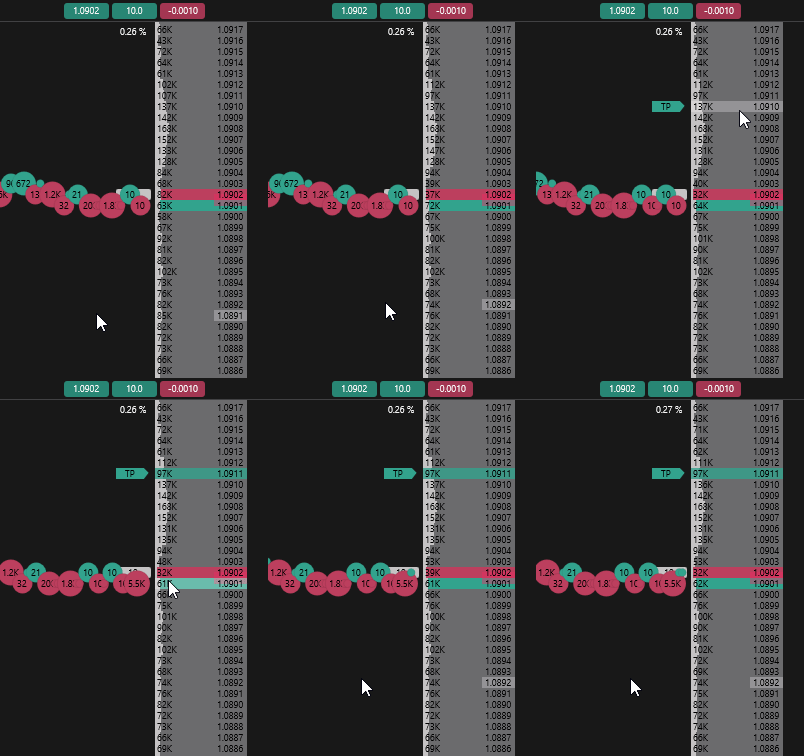
Moving a take profit
Hover over the TP marker in the tape area, hold down the left mouse button and drag the take profit to a new price.
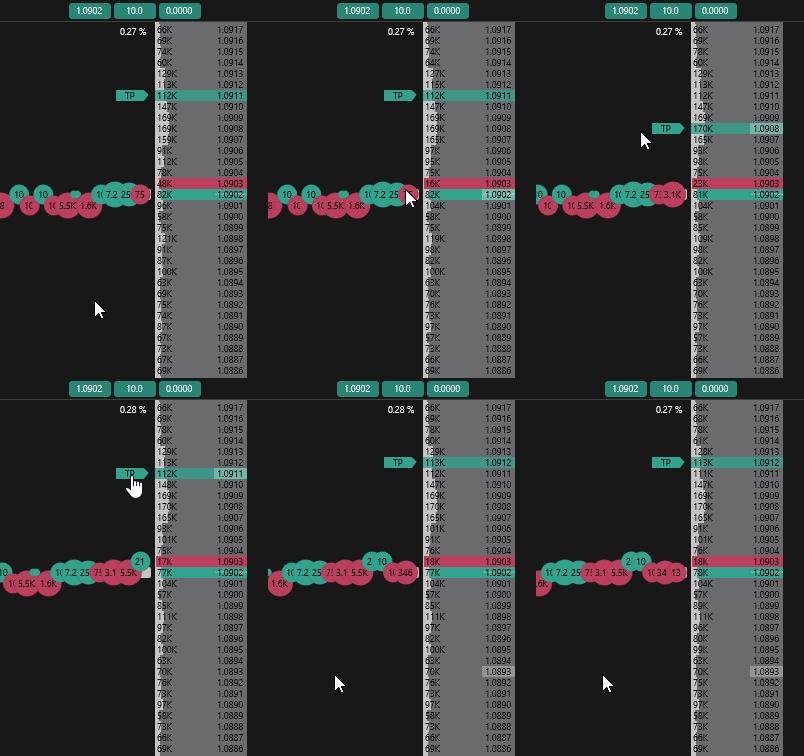
Removing a take profit
Hold down the Set/remove SL and TP hotkey and click the price of the placed take profit.
Auto take profit
A take profit can be placed automatically when a position is opened or reversed. Set the Size in the Auto take profit block on the Trading tab of the order book settings.
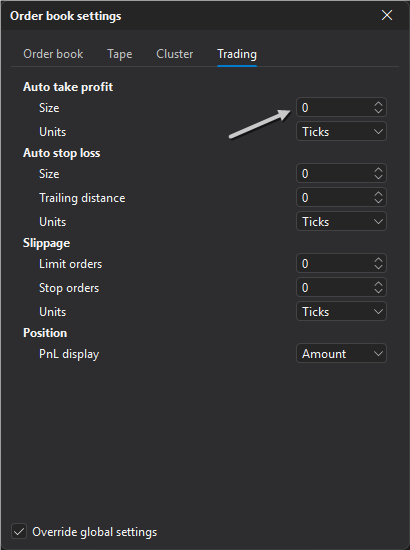
The size is set in ticks, percent or points, depending on the Units parameter. At 0 the automatic take profit is off.
Local and server-side take profit
Like a stop loss, a take profit can be local or server-side. The server-side take profit is enabled for crypto exchanges (spot and futures) and MOEX in the Trading settings section, if the connection supports it.
Important: A local take profit does not trigger if the terminal is closed or there is no connection to the exchange.