A FREE SCALPING TERMINAL · CRYPTO AND MOEX
A fast order book
with clusters and tape.
Quotes from Binance, Bybit, OKX and other exchanges right after install, no API keys needed. MOEX through QUIK, Finam, T-Invest, BCS and Vataga Prop. A terminal for Windows and macOS, an app for your phone.
WINDOWS · MACOS
IOS · ANDROID
WORKSPACE
The whole market —
on one screen.
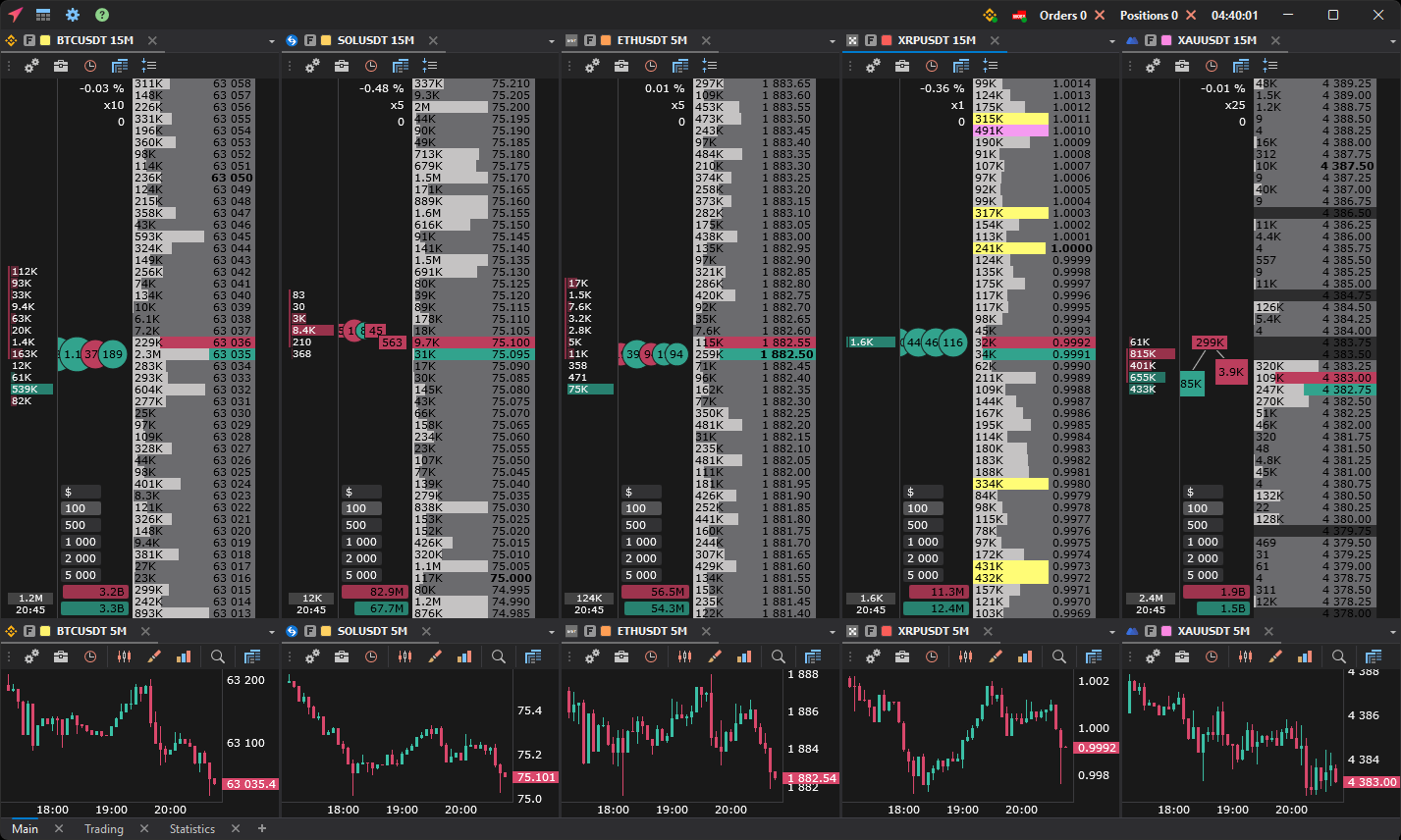
Order books with clusters, time and sales and charts work together: windows linked by instrument and workspaces for your trading style.
- 1Order book with cluster history
- 2Time and sales
- 3Large orders
- 4Orders and positions
- 5Charts linked to the order book
- 6Workspace tabs
SPEED
Built to keep up with the market.
01
60–240 FPS
Smooth rendering even with hundreds of order books and charts open, across several monitors.
02
From 1 second
Second timeframes on the chart and in the order book clusters, for precise entries.
03
Up to 20,000 bars
A long history on any timeframe: market structure and levels at a glance.
04
Several monitors
Workspaces in separate windows: a layout for each monitor.
CONNECTIONS
15 crypto exchanges and MOEX in one terminal
Crypto exchange quotes right away, no keys needed. To trade, add an exchange API key: no withdrawal permission required. Hyperliquid, Aster and Lighter connect with a wallet, no seed phrase or private key needed. MOEX through QUIK, Finam, T-Invest, BCS or Vataga Prop.
01 / ORDER BOOK
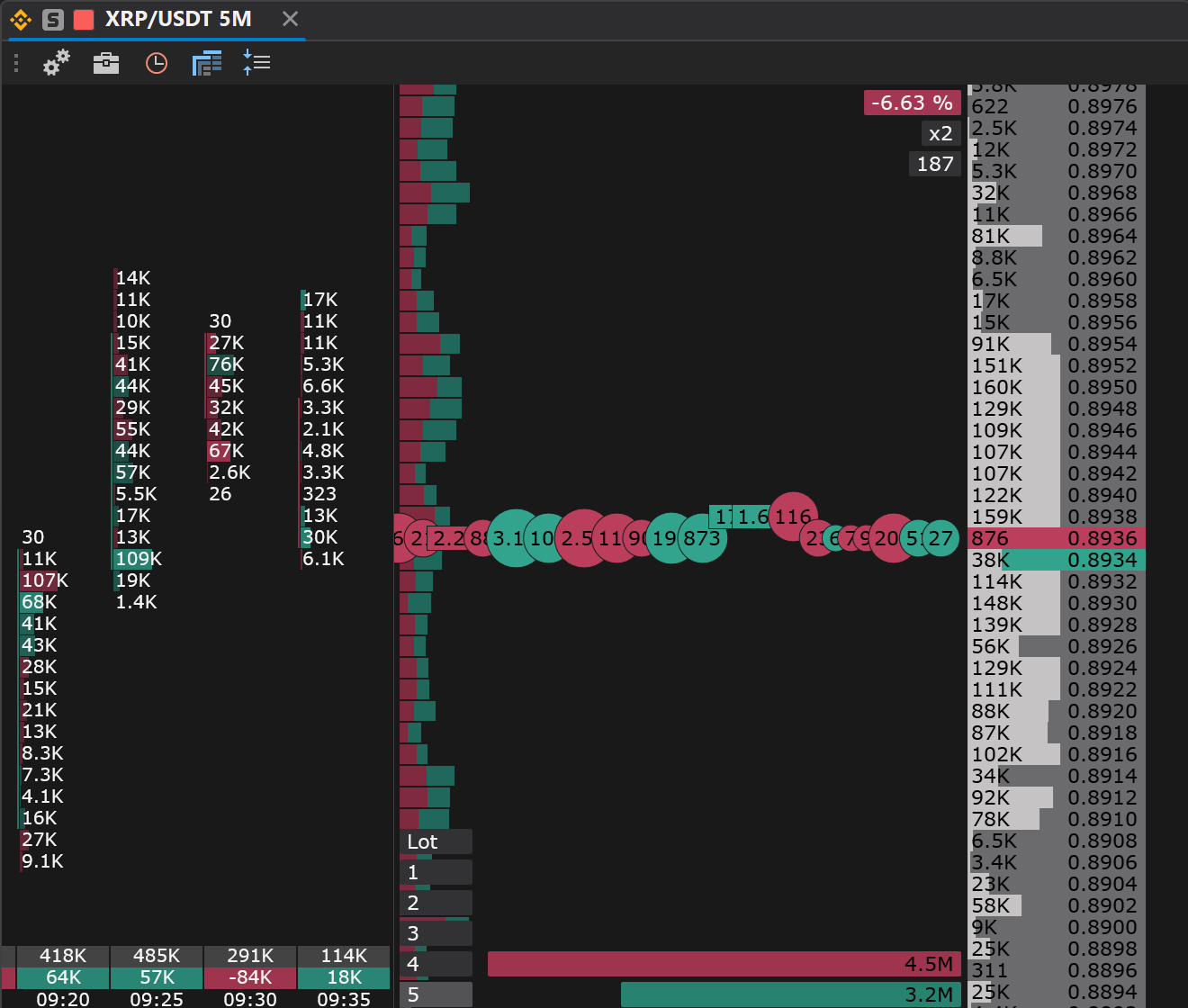
Order book with cluster history and time and sales
Orders, volumes, clusters and the time and sales in one window. Hotkeys, levels, templates and fast trading actions.
- Clusters
- Volume, delta and Bid/Ask at every price
- Tape
- Trade aggregation and a volume filter
- Trading
- Limit and stop orders, stop loss, take profit, trailing
- Signals
- Levels, icebergs and a sound on large volume
- Funding
- Rate, time to the charge and payment for perpetual futures on crypto exchanges
02 / CHART
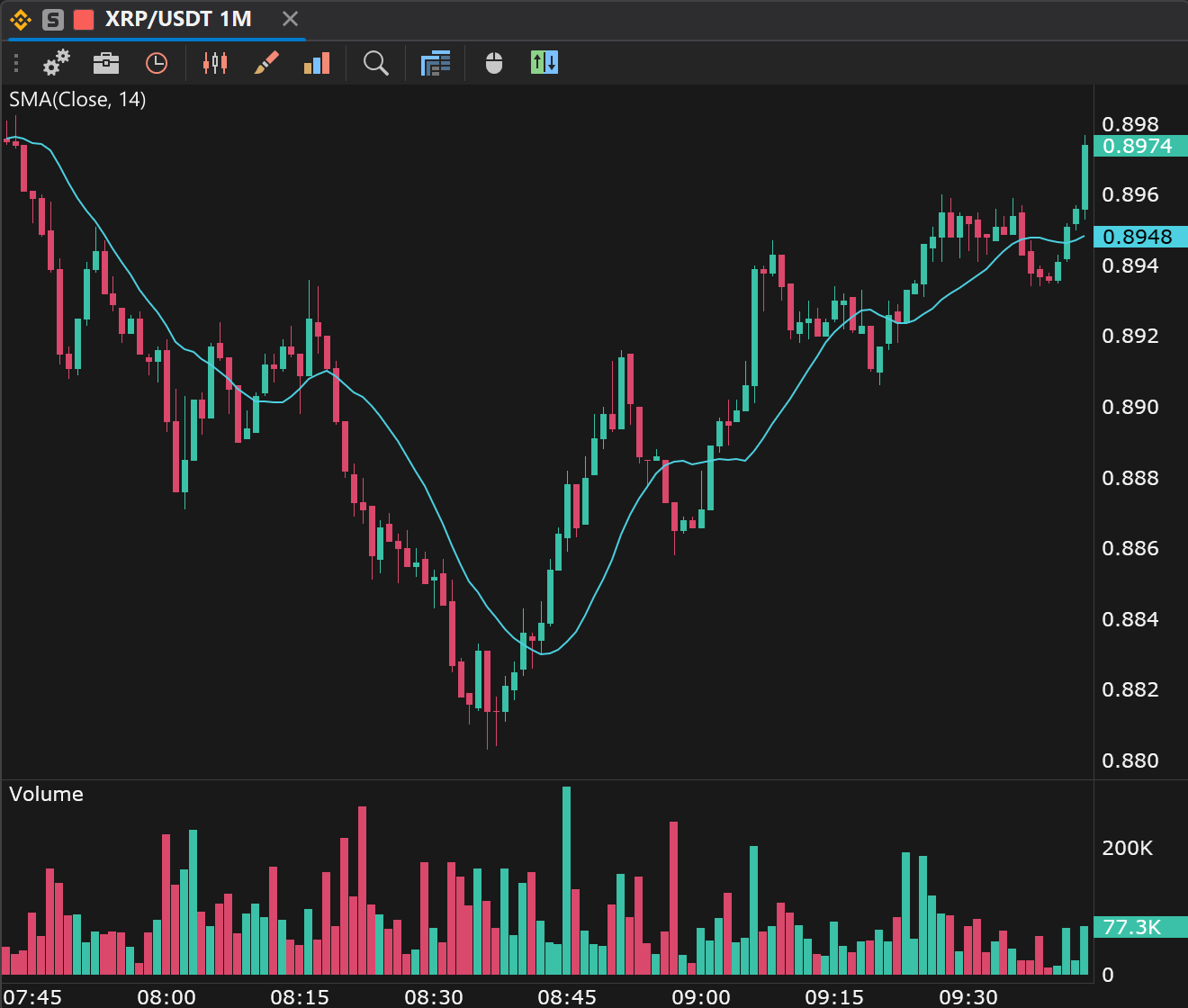
Charts from 1 second and up to 20,000 bars of history
Precise entries on timeframes from 1 second, market structure and levels on a long history. Signals right from the chart.
- Timeframes
- From 1 second and your own, shared with the order book clusters
- View
- Candles, bars, line and footprint
- Analysis
- Indicators and drawing objects
- Levels
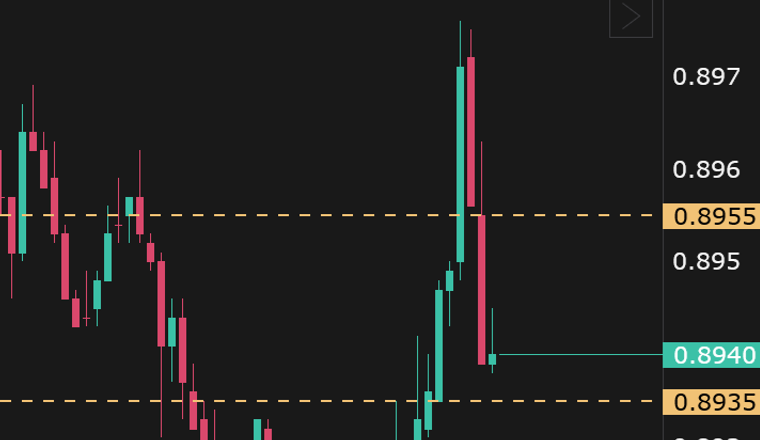
- Signal levels with notifications in Telegram and on your phone
- Trading
- Order panel, order and position lines moved with the mouse, SL/TP
- Linking
- Templates and one instrument with the order book
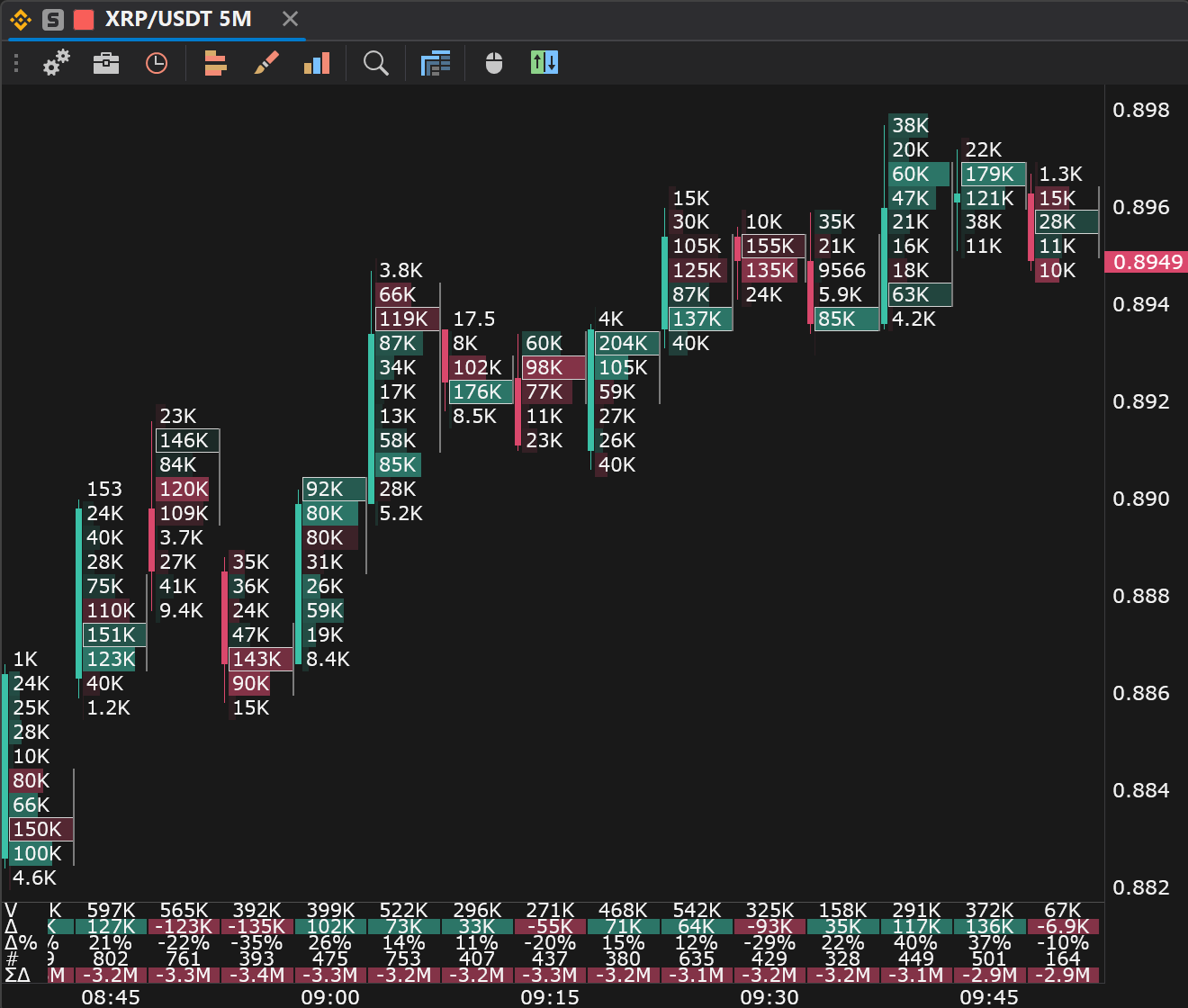
03 / FOOTPRINT
Footprint chart: what happens inside a bar
Buy and sell volume at each price, delta, POC and imbalances, on timeframes from 1 second. Bar signals and alerts point to where to look closer.
- Cells
- Bid × Ask, volume, delta, trades; presets and a builder
- Imbalances
- Stacked imbalances and unfinished auctions as zones until touched
- Signals
- Unusual volume and delta, divergence, absorption, exhaustion
- Levels
- Profile, POC and value area of past days
- Trades
- Large trades, sweeps and cluster search, with alerts
04 / TOOLS
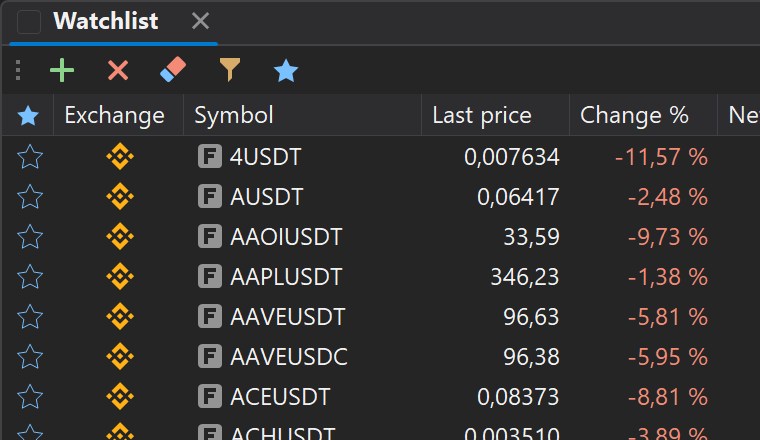
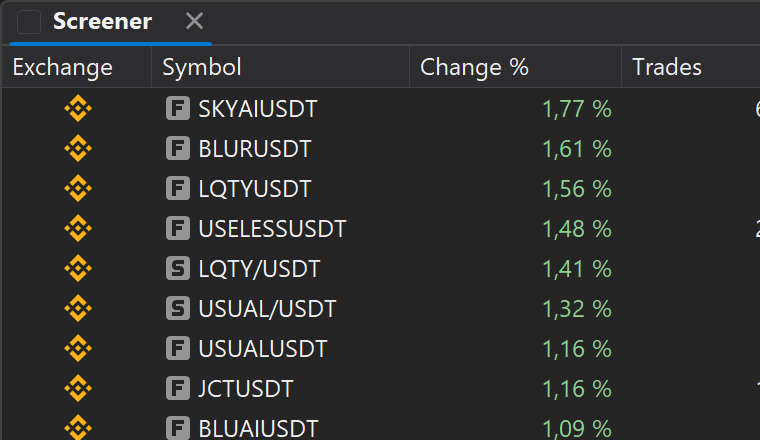
Find the instrument, set a signal, never miss the move
MORE IN THE TERMINAL
What an ordinary terminal does not have
MOBILE APP
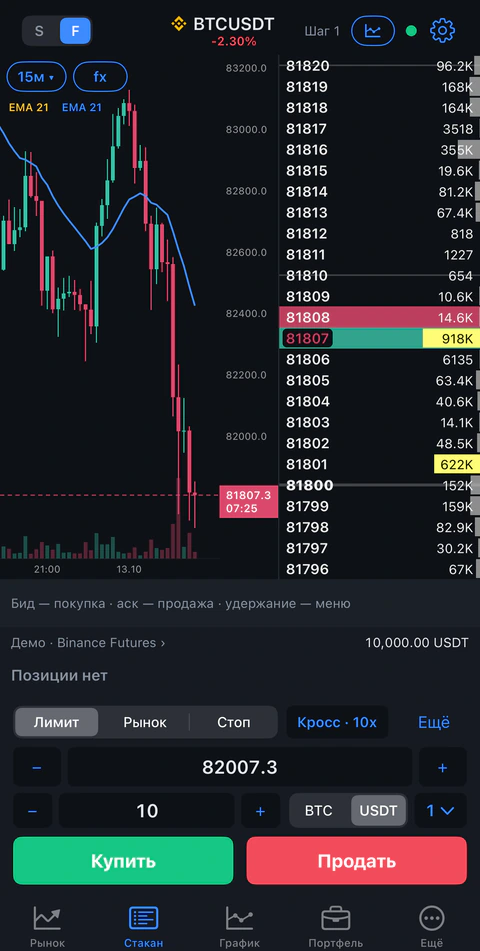
The order book and trading on your phone
The same exchanges and the same account: quotes, an order book with clusters, charts and positions. Signals arrive as push notifications, and a demo account for every exchange lets you practise without risk.
05 / PLATFORMS
Download for your platform
The full terminal on your computer. On your phone: quotes, order book, chart and positions. One account everywhere, and the terminal interface is in English and Russian.
macOS
macOS 14 or later
The same terminal and workspaces on a Mac, for Apple Silicon and Intel.
iOS and Android
iOS 16+ · Android 11+
Quotes, order book and trading on your phone. Signals as push notifications.
06 / WORKFLOW
A terminal that does not get in the way
Everything a scalper needs and nothing on top.
01
Mouse and hotkeys
An order in one click in the order book or with a key.
02
Workspaces
A window layout for your trading style.
03
Linked windows
Order book, chart, watchlist and screener switch instruments together.
04
Saved configuration
Settings, templates and workspaces are back after a restart.
WHY JETSCALP
Free, safe and listening to you
Free forever
No trial period, no subscription, no time limits.
No withdrawal rights
To trade, you need an exchange API key without the withdrawal permission.