Sounds
The Sounds section sets sound notifications for connections, orders and alerts.
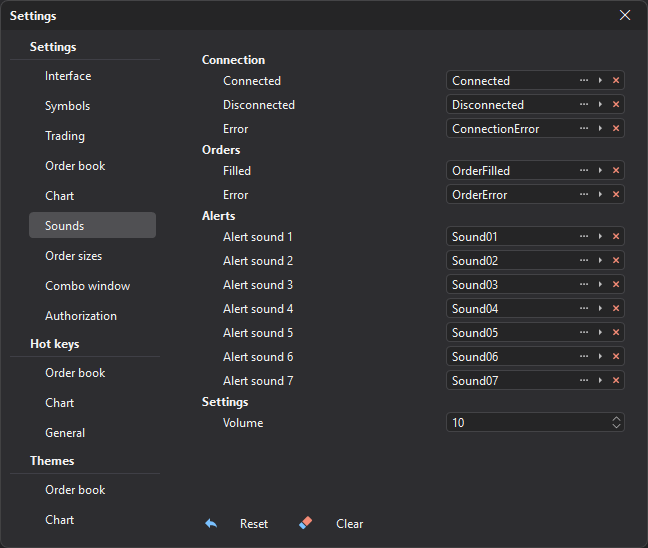
| Group | Description |
|---|---|
| Connection | Connected, disconnected, error. |
| Orders | Order filled, order error. |
| Alerts | Alert sound 1 — alert sound 7. |
| Settings | Volume of the terminal sounds: from 1 to 10, 10 by default. |
For each event, you can select a sound file (the … button, WAV only), play it, or remove the assigned sound.
The Reset button restores the default sounds (it does not change the volume), and the Clear button removes all assigned sounds.
Last updated on