Trading
The Trading section sets how stop loss and take profit are handled and when orders are canceled.
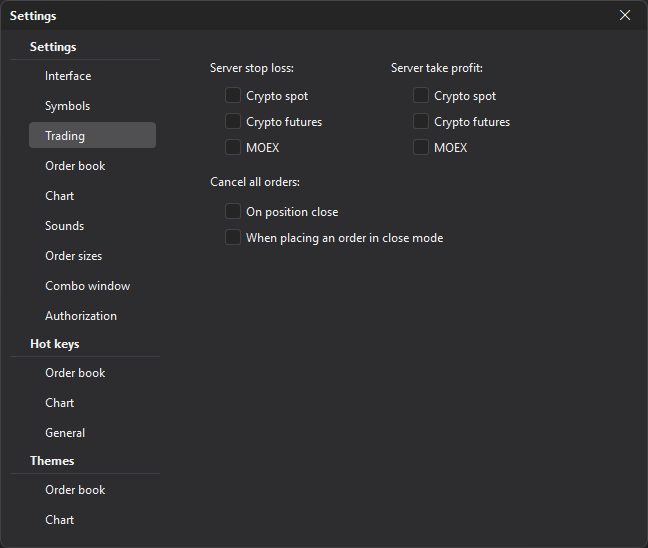
| Parameter | Description |
|---|---|
| Server stop loss | Turns on server-side stop loss for the selected markets (Crypto spot, Crypto futures, MOEX), if the connection supports it. |
| Server take profit | Turns on server-side take profit for the selected markets (Crypto spot, Crypto futures, MOEX), if the connection supports it. |
| Cancel all orders: On position close | Automatically cancels orders after a position is closed. |
| Cancel all orders: When placing an order in close mode | Cancels orders when an order is placed in position close mode. |
If the exchange did not accept a server stop loss or take profit, the level stays: the terminal itself executes the stop at it while it is connected. The terminal reports this, for example: “…the exchange rejected the server SL … — the terminal executes the stop at … while it is connected. Change the level to retry the server stop.” For a take profit, the message is the same, with “the server TP” and “the take profit at”. To place the level on the exchange again, change it.
Important: Server-side SL/TP and automatic order cancellation affect real trading commands. Do not turn these parameters on until you understand how they work on the specific exchange and account.