JetScalp signals
Signals and alerts for active trading
Set a level and JetScalp tells you when the price gets there: in the terminal, in Telegram and as a push to your phone.
FEATURES
01
Local signals
Create signals right in the terminal and use them to watch important levels, prices and market situations.
02
Cloud signals
The JetScalp server checks the signal: a push to your phone and a Telegram message arrive even with the terminal closed.
03
Terminal alerts
Get alerts inside JetScalp when the market reaches the condition or level you need.
04
Telegram alerts
Link Telegram to your account in the app settings, and triggered levels arrive as a chat message.
05
Signal levels
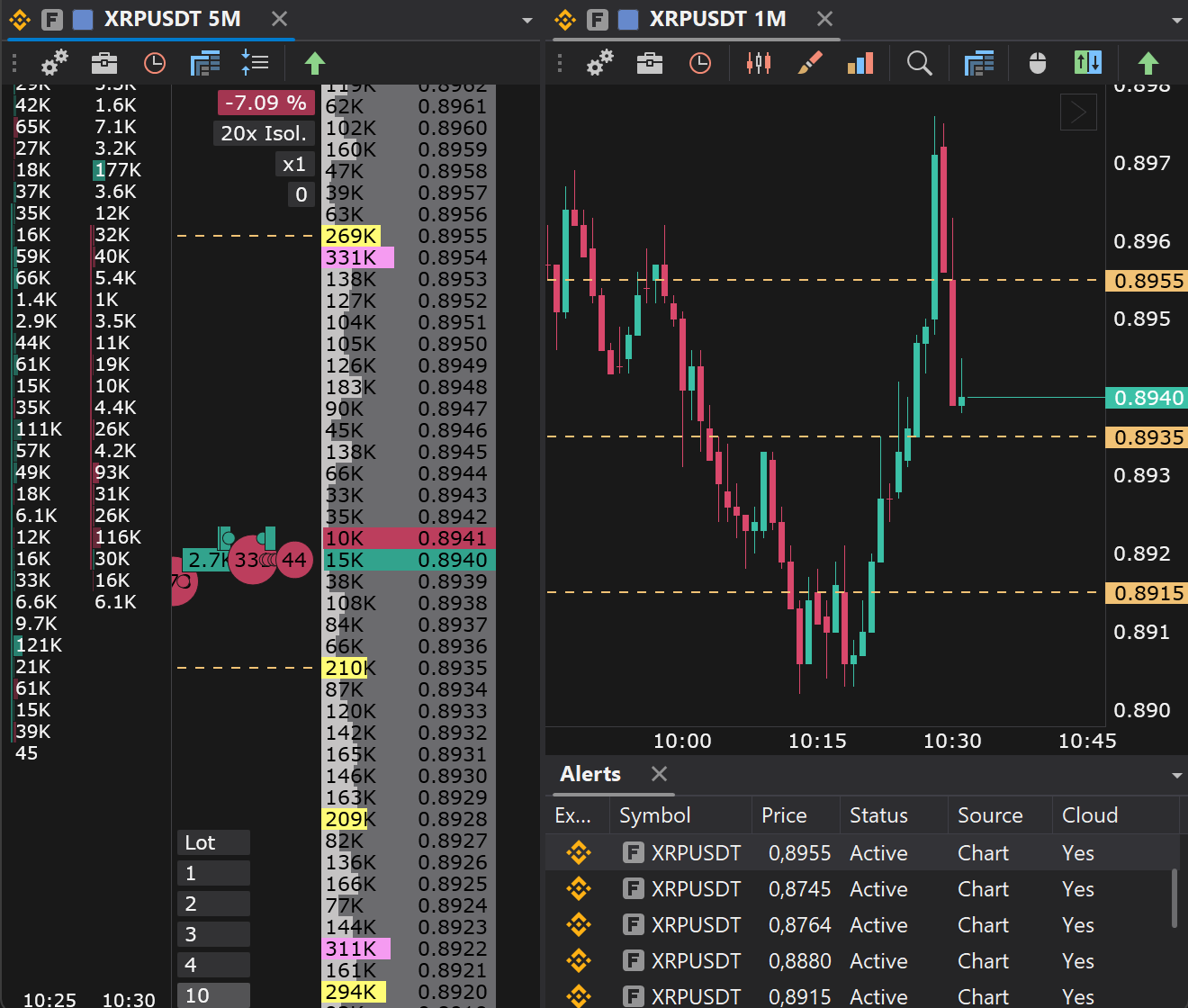
Place levels on the chart or in the workspace, drag them and watch the conditions trigger.
06
Linked instruments
Use signals together with the order book, the chart, clusters and the screener to jump to the right instrument quickly.
What signals are for
Signals help you not to miss important market moves and to get back quickly to instruments where a trading opportunity has appeared.
FIRST STEPS
How to start working with signals
- 01Open the signals window in the terminal.
- 02Create a local or a cloud signal.
- 03Choose the instrument and the trigger condition.
- 04Set up the alert channel: the terminal, Telegram or both.
- 05Save the signal and track its state in the signal list.
Telegram alerts
Click Link in the app settings and start the JetScalp bot in Telegram. Signals then arrive not only in the terminal but also in Telegram, even with the terminal closed, so you do not miss important events away from your desk.