JetScalp order book
An order book with clusters for scalping
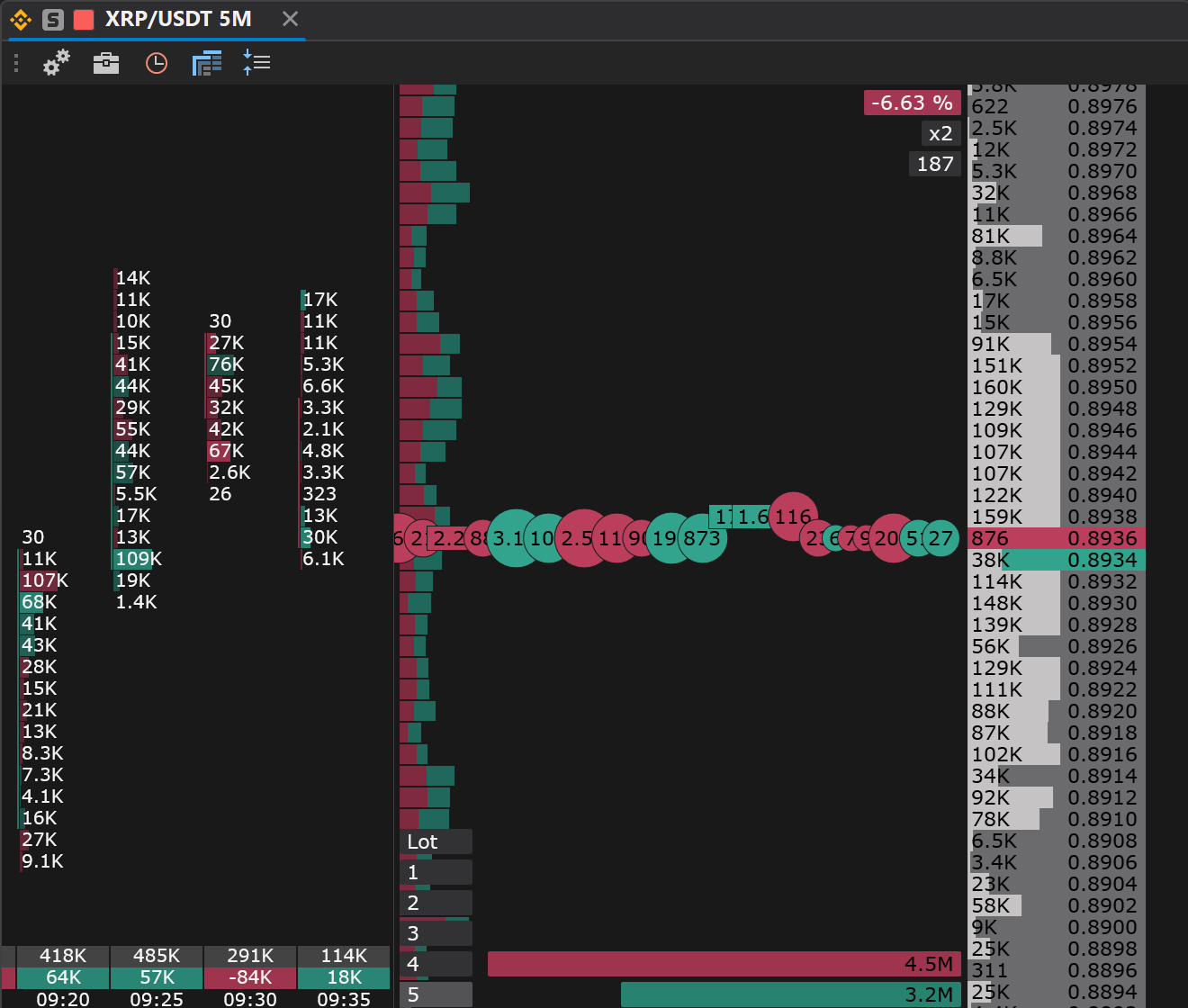
The JetScalp order book combines fast order entry, position control, SL/TP, time and sales and cluster history in a single window.
FEATURES
01
Fast order entry
Trade right from the order book: place limit orders, cancel them and manage your position without extra windows.
02
Hotkeys and mouse
JetScalp is built for active trading: the main actions are available with the mouse and hotkeys.
03
Position, PnL and funding
Your open position, entry price, size and current result; for perpetual futures on crypto exchanges, the funding rate, the time to the next charge and the expected payment.
04
SL/TP
Stop loss, take profit and trailing, right from the order book.
05
Time and sales
Watch market trades next to the order book and analyze buyer and seller activity.
06
Cluster history
Volume, delta and Bid/Ask at every price right in the order book. Large orders and icebergs are highlighted, with a sound.
Who it is for
A scalper on crypto and MOEX: see large orders, clusters and the time and sales side by side and enter in one click or with a key.
FIRST STEPS
How to start working with the order book
- 01Open the instrument from the watchlist or the screener.
- 02Add an order book window to your workspace.
- 03Choose the order size.
- 04Use the mouse or hotkeys to place and cancel orders.
- 05Track your position, orders and trades in the linked terminal windows.
Large orders stand out at once
Large orders and icebergs are highlighted in the order book with a sound, and the cluster history shows volume and delta at every price next to the time and sales. Everything for the entry decision in one window.