JetScalp watchlist
A watchlist for picking instruments quickly
The JetScalp watchlist keeps the instruments you need at hand, lets you switch between markets quickly and opens linked instruments in the order book and the chart.
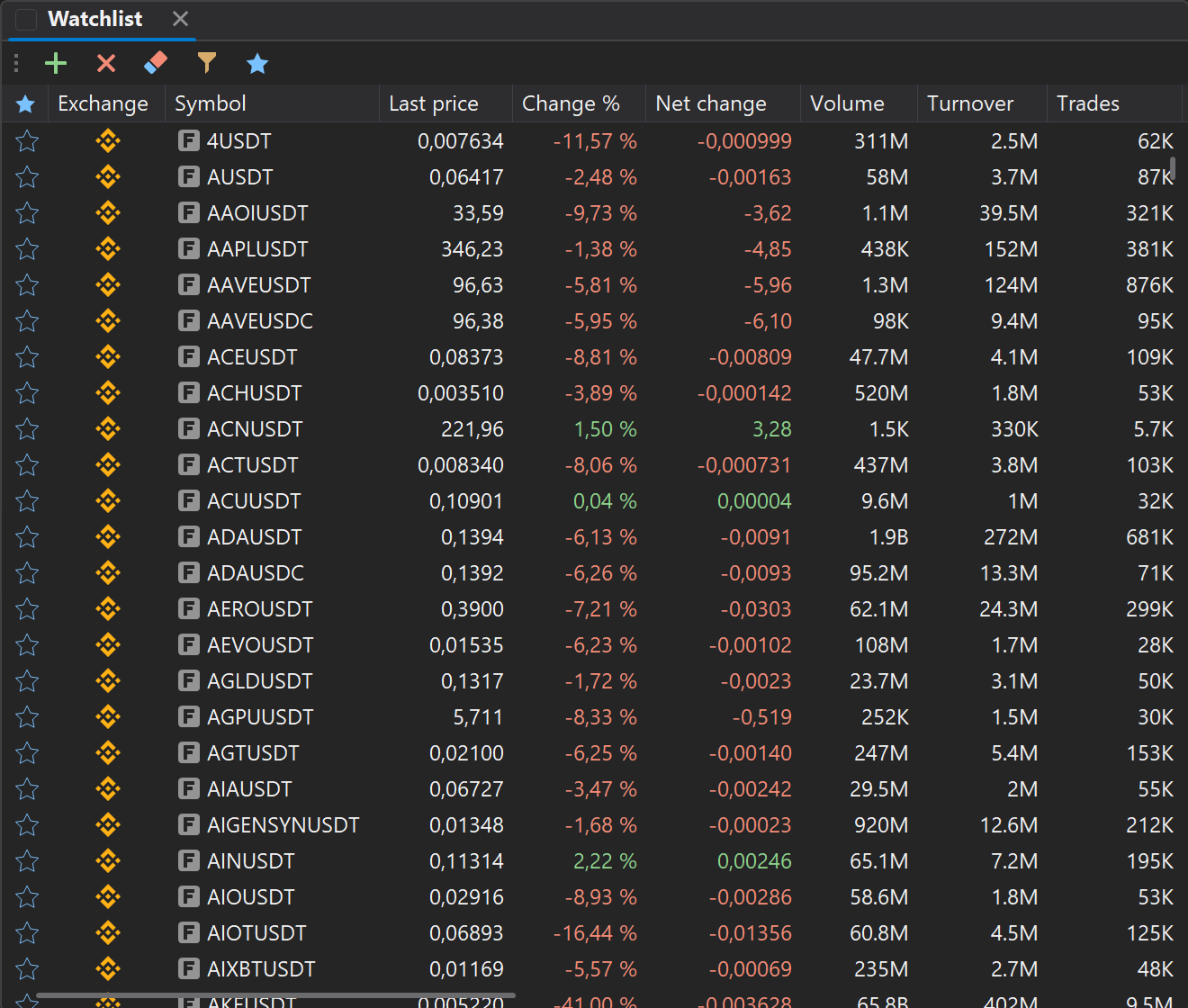
FEATURES
01
Instrument list
Keep the instruments you need at hand: collect crypto, MOEX and other markets in one convenient watchlist.
02
A whole list at once
Filter instruments by exchange, currency or market type and add them all with one command.
03
Favorites
Mark important instruments as favorites and get back to them faster while trading.
04
Columns and funding
Price, change, volume, the funding rate of perpetual contracts and the instrument class; a funding filter.
05
Manual order
Drag rows with the mouse: important instruments on top, the rest in your own order.
06
Linked terminal windows
Pick an instrument in the watchlist and the linked order book and chart switch automatically.
Who it is for
Whoever keeps their own instrument list and switches the order books and charts of the whole workspace from it.
FIRST STEPS
How to start working with the watchlist
- 01Open the watchlist window from the terminal menu.
- 02Add the instruments you need to the list.
- 03Set up the columns and their order.
- 04Use the filter or favorites to find instruments quickly.
- 05Link the watchlist with the order book and the chart for quick switching.
The watchlist helps you switch your workspace quickly
Use the watchlist as your central instrument list. When you pick an instrument, the linked terminal windows open the same instrument in the order book and the chart automatically.